









Kickoff
Get started in Ascent Premier!
Welcome to Ascent Premier.
You will receive a separate email with your login credentials once your site has been created. To access your dashboard, follow the directions in your welcome email.
Learn more about your new datasets (dependent on your individual subscription).
- Peer Global
- Peer Enhanced
- Peer Industry
- Peer Markets
Your Implementation Manager will work with you to schedule your kickoff call. Prior to your kickoff call, you can begin getting value out of Ascent Premier today. See the resources to the right to get started.


Attend your kickoff call
In this 1-hour introduction call you will:
- Meet your Implementation Manager
- Confirm your Payscale solution
- Build your implementation timeline
- Align on goals
- Have a product tour
- Discuss next steps

Implement

Let's begin your technical set up!
Attend your data requirements meeting where you will:
- Discuss pay market strategy
- Review data requirements
- Discuss data loading options
- Review how to upload surveys
- Discuss next steps
Prepare & Share your Data with us
Data collection consists of three parts:
- Organizational Data (Jobs, Employees, Salary Structures)
- Third-Party Surveys
- Pre-Existing matches to Third-Party Surveys
Let’s begin by discussing organizational data in Ascent Premier.
Please register for the Introduction to Organization Data and Uploading and Managing Organization Data courses to gain understanding of the organization data structure within Ascent Premier.
Payscale provides two paths for automating your organizational data loads in Ascent Premier.
- Establish an API with specific HRIS vendors
- Establish an sFTP feed between your HRIS system and the Ascent Premier hosted sFTP site
Collect and Upload your Organizational Data
To begin collecting your organizational data, review the resources outlined below.
The Organizational Data Template is used to capture your internal organizational information as it relates to jobs, pay markets, employees, and salary structures.
Ready to submit your organizational data? Follow these instructions and submit via the Data Upload area in Ascent Premier with a file type of ‘Organizational Data’.
Submit third-party surveys
The first step in submitting your survey data is to complete a survey reconciliation form that provides basic information about the surveys being loaded. This will be provided to you.
You’ll also send us your raw third-party survey data in the Excel file provided by your vendor. We’ll take it from there.

Submit third-party survey matches
Do you have existing matches to third-party surveys? If so, you’ll provide us your survey-to-internal-job match data through one of our standard templates. Your Implementation Manager will work with you to determine which template best aligns with your market pricing philosophy.
Pre-requisites: Your internal job codes, pay markets, and relevant survey data is loaded into Ascent Premier prior to submitting your pricing or match template.


Data load & review
Your Implementation Manager will load your submitted organizational data and third-party survey matches and work with you to resolve any data issues.
As your submitted data is loaded into Ascent Premier we highly recommend logging into your site to quality assure your data and ensure alignment with your expectations.
Educate
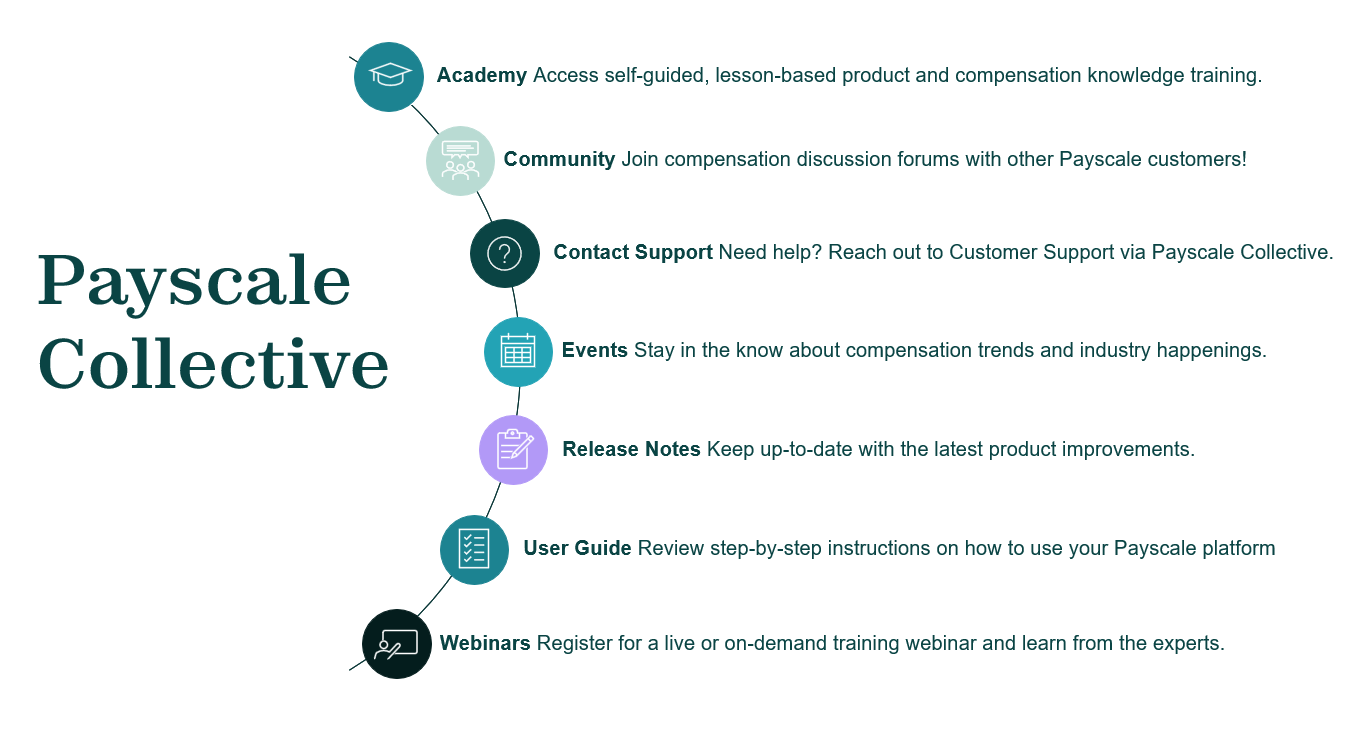
Payscale Collective
Within this education and support hub, you'll have access to:
- Explore helpful articles and user guides specific to your Payscale product.
- Register for a product training or compensation knowledge-based webinar session.
- Join or create a discussion group with other Payscale Customers.
- Discover our latest thought leadership, news and events.
- Submit a request for support if you need additional help.
Access Payscale Collective by clicking the button below.
Attend your Implementation Training Sessions
You’ll have self-paced/on-demand learning throughout implementation.
We’ll lead training for your team and record the sessions, so you can fully leverage the system and refer back to recordings.
Beyond implementation you’ll have continuous self-paced learning via Payscale Collective to advance and solidify your understanding of Ascent Premier.

Foundational UI Training – Review the typical Agenda
- Market Pricing in Ascent Premier
- Pricing Projects
- Jobs Tile
- Survey Tile

Beyond the Basics – Customized to meet your needs
Common topics might include:
- Data Insights
- Structures
- Peer (if applicable)
Adopt

Implementation achieved
Congratulations! Your implementation to Ascent Premier is complete.
During this final stage, we’ll make sure you’re set up for success post onboarding.
As you transition out of implementation, we want to ensure you that our dedication to providing top-tier customer service is of the utmost importance.
At this point you’ll start working with your Customer Success Manager and our Support Team for ongoing, continued support.
Check out Payscale Collective to continue your learning journey with user guides, self-paced courses, and expert-hosted product training sessions.
Use Ascent Premier in Your Day-to-Day Work!
Your onboarding journey doesn't stop at implementation. With Ascent Premier, adoption is an ongoing partnership - helping you build confidence in the platform and seamlessly integrate it into your daily compensation work.
To fully adopt Ascent Premier, you'll continue to meet key milestones that keep your data, processes, and insights strong:
- Match Company Jobs to Available Market Data Sources
- Keep Organizational Data Up-to-Date
- Peer Participation
- Year-Over-Year Process to Update Surveys and Underlying Matches
Don’t Forget!
As new third-party survey results become available, we recommend reviewing the Introduction to Survey Management course in Collective to understand how to maintain your survey library and market pricings with the new data.