





Your implementation stays on track with our project management approach
Your team knows exactly when each milestone completes.
Everyone knows who's responsible for what, by when.
Your team sees the full roadmap upfront and knows exactly what to execute at each. Templates and resources are right there when you need them.
Track progress in real-time, spot delays before they become problems.
Your team and the Payscale team works from the same plan, no confusion.



Kickoff
Get started!
Welcome to Ascent Elite.
You will receive a separate email with your login credentials once your site has been created. To access your dashboard, follow the directions in your welcome email.
Your Implementation Manager will work with you to schedule your kickoff call. Prior to your kickoff call, you can begin getting value out of Ascent Elite today. See the resources to the right to get started.

If you're ready to dive in, check out this course on Pricing Jobs - Getting Started.


Attend your kickoff call
In this 1-hour introduction call you will:
- Meet your Implementation Manager
- Confirm your Payscale solution
- Build your implementation timeline
- Align on goals
- Have a product tour
- Discuss next steps

Implement
Let’s begin your technical set up!
Attend your data requirements call where you will:
- Review data requirements
- Discuss data loading options
- Review how to upload surveys
- Discuss next steps

Prepare & share your data
Data collection consists of three parts:
- Organizational Data (Jobs, Employees, Salary Structures)
- Third-Party Surveys
- Pre-Existing matches to Third-Party Surveys
Let’s begin by discussing organizational data in Ascent Elite.
Please visit the Managing Data in Ascent Elite course to gain an understanding of the structure and format of each template.
Payscale provides an option to automate your organizational data loads in Ascent Elite by establishing an sFTP feed between your HRIS system and the Ascent Elite hosted sFTP site.
Collect and upload your organizational data
To begin collecting your organizational data, review the resources outlined below.
The HRIS Data Templates are used to capture your internal organizational information as it relates to jobs, employees, and salary structures.
The instructions and examples found within each template provide a description of each field within the template and formatting requirements.
Before submitting your organizational data, don’t forget to opt into receiving Proofpoint exception emails. Your Implementation Manager will provide further details during your initial call.
Ready to submit your HRIS data? Follow these instructions and submit your HRIS data via the Admin area of Ascent Elite. You will choose ‘Upload HRIS Data’ and select the type of HRIS data you are uploading.
Submit third-party surveys
You’ll work with your Implementation Manager to better understand your survey library and which results will be subscribed using generic survey results and which surveys you will need to upload your raw survey results for.
The first step in submitting your survey data is to complete a survey library discovery form that provides basic information about the surveys being loaded.

Submit third-party survey matches
Do you have existing matches to third-party surveys? If so, you’ll provide us your survey-to-internal-job match data using our standard match template. Your Implementation Manager will work with you to provide guidance on completing the template.
Pre-requisites: Your internal job codes and relevant survey data is loaded into Ascent Elite prior to submitting your match template.
Review the information to the right to assist you in collecting and submitting your third-party survey matches for upload to Ascent Elite.


Data load & review
Your Implementation Manager will load your submitted organizational data and third-party survey matches and work with you to resolve any data issues.
Once your submitted data is loaded into Ascent Elite, we highly recommend logging into your site to ensure data accuracy and alignment with your expectations.

Educate
Payscale Collective
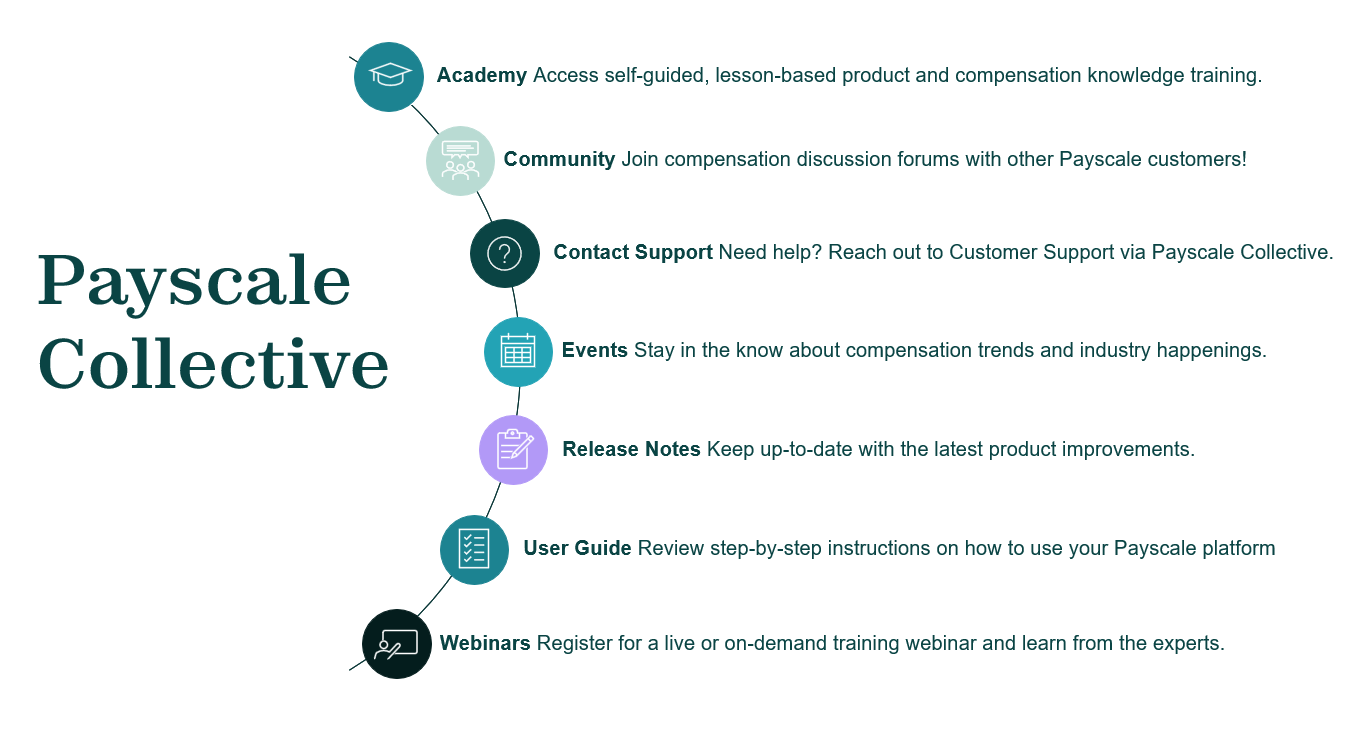
Within this education and support hub, you'll have access to:
- Explore helpful articles and user guides specific to your Payscale product.
- Register for a product training or compensation knowledge-based webinar session.
- Join or create a discussion group with other Payscale Customers.
- Discover our latest thought leadership, news, and events.
- Submit a request for support if you need additional help.
Access Payscale Collective by clicking the “Get connected” button below.
Attend your implementation training sessions
You’ll have self-paced/on-demand learning throughout implementation.
We’ll lead training for your team and record the sessions, so you can fully leverage the system and refer back to recordings.
Beyond onboarding you’ll have continuous self-paced learning via Payscale Collective to advance and solidify your understanding of Ascent Elite.

Foundational UI Training
- General platform navigation
- Market Pricing
- Survey Library & Survey Participation
- Report Library

Beyond the Basics - Customized to meet your needs
Common topics might include:
- Market Pricing Deep Dive
- Structure Modeling
- Advanced Reporting
- Merit Matrix Modeling
Adopt
Implementation achieved
Congratulations! Your implementation to Ascent Elite is complete.
During this final stage, we’ll make sure you’re set up for success post onboarding.
As you transition out of implementation, we want to ensure you that our dedication to providing top-tier customer service is of the utmost importance.
At this point you’ll start working with your Customer Success Manager and our Support Team for ongoing, continued support.
Check out Payscale Collective to continue your learning journey with user guides, self-paced courses, and expert-hosted product training sessions.

Use Ascent Elite in your day-to-day work!
Your onboarding journey doesn't stop at implementation. With Ascent Elite, adoption is an ongoing partnership - helping you build confidence in the platform and seamlessly integrate it into your daily compensation work.
To fully adopt Ascent Elite, you'll continue to meet key milestones that keep your data, processes, and insights strong:
- Match company jobs to available market data sources
- Keep organizational data up-to-date
- Migration process to update surveys and underlying matches
Don’t forget!
As new third-party survey results become available, we recommend reviewing the Survey Management courses in Collective to understand how to maintain your survey library and market pricings with the new data.